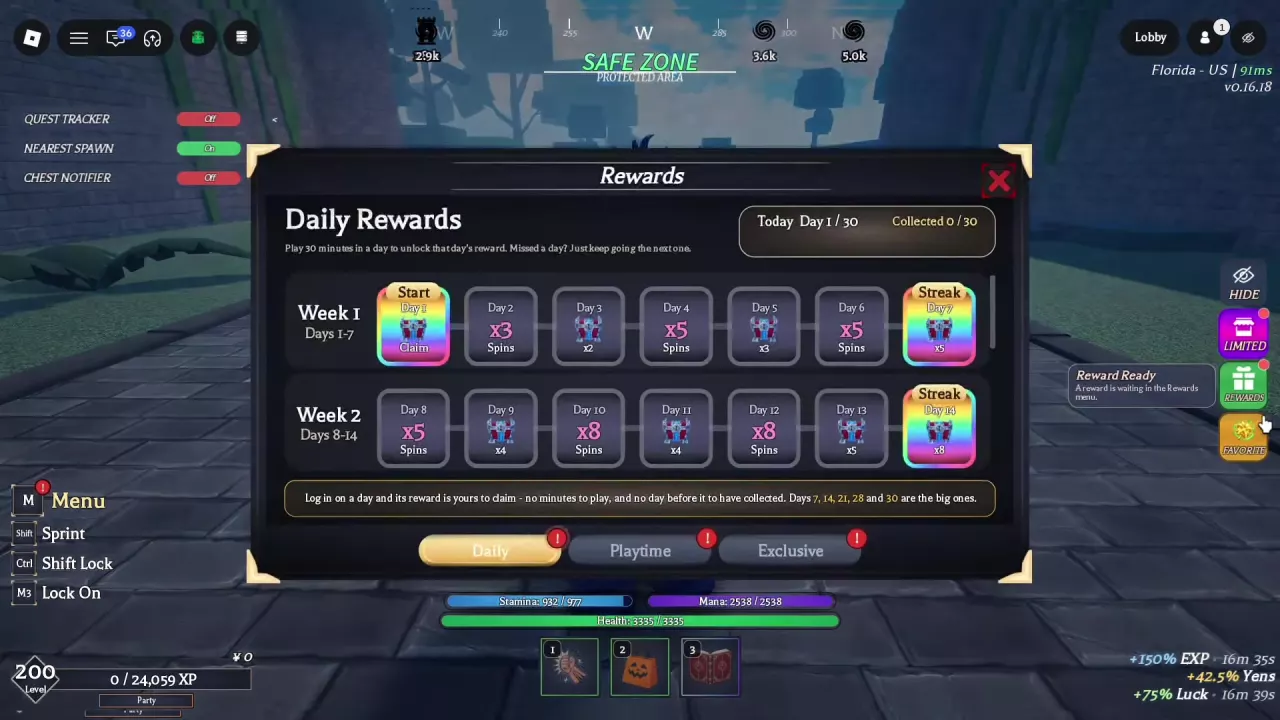
Open Rewards for the Daily, Playtime and Exclusive tabs. Daily has a 30-day calendar with Spins and gifts, while Playtime gives a reward notification at 15 minutes. Select AFK in the Lobby to enter AFK World for rewards including Spins. Team bonuses require the corresponding Cloverlines group role.
Cloverlines Rewards and AFK World: Menus, Spins and Bonuses
Last updated:
Cloverlines rewards come from several menus and activities. Find the right entrance for Daily and Playtime rewards, AFK World, quests, chests and Team role bonuses.
Reward Systems and Where to Find Them
| System | Where to find it | What to look for |
|---|---|---|
| Daily | Rewards → Daily | A 30-day calendar with Spins and gifts |
| Playtime | Rewards → Playtime | Rewards tied to playtime milestones |
| Exclusive | Rewards → Exclusive | A separate reward tab |
| AFK World | Lobby → AFK | Spins, buffs and a resource called mana crystal |
| Quests and boss chests | Complete quests or fight bosses | Quest rewards and chest sources |
| Achievements | M → Profile → Achievements | The Achievements menu |
| Cloverlines Team | Profile | Bonuses tied to specific group roles |
Team role bonuses depend on your Cloverlines group role; they are separate from ordinary activity rewards.
Daily, Playtime and Exclusive Rewards
Open Rewards on the right side of the screen, or press M and select Rewards. Choose a tab at the bottom of the menu:
- Daily: Browse the 30-day calendar for Spins and gift rewards. Days 7, 14, 21, 28 and 30 are highlighted milestones.
- Playtime: View rewards associated with your playtime. A notification appears when the 15-minute reward is ready.
- Exclusive: Open this tab to view the separate Exclusive reward category.
Enter and Leave AFK World
- Go to the Lobby and select AFK.
- Wait for AFK World to load.
- Return to the Lobby when you want to leave.
AFK World offers Spins, buffs and a resource called mana crystal while you take a break from active play. Spins are also available in the Daily calendar and can be used for Race, Social Class and Trait rerolls. See character rerolls for how to use them.
Cloverlines Team Role Bonuses
The bonuses listed in Profile require the corresponding Cloverlines group role.
| Team role | EXP | Yens | Luck | Boss Damage |
|---|---|---|---|---|
| Owner | +50% | +50% | +50% | +30% |
| Developer | +50% | +50% | +30% | — |
| Director | +40% | +40% | +25% | — |
| Manager | +30% | +30% | +20% | — |
| Administrator | +30% | +30% | — | — |
Achievements and Other Reward Goals
Press M, choose Profile, then select Achievements in the left sidebar.
For active play, use the quest list to compare objectives and rewards, or check the chest guide for Normal, Medium and Big Chest sources. If you want to spend your Spins, visit the Race, Social Class and Trait reroll guide.