Cloverlines WIKI

Cloverlines Training and Brooms: Double Jump and Flight

Last updated:

Cloverlines training gives you stronger base stats, double jump, and a broom for flying travel. Here’s where to find both lessons and how to complete them.

At Level 5, complete Nori Training at Titan’s Remains to unlock double jump and earn one-time stat growth. Complete the broom balance lesson outside the village to get a Medium Magic Broom. With a broom available, press H to summon it and H again to dismiss it.

Training Rewards and Broom Options

Nori Training improves your character and unlocks double jump, while broom balance training gives you a Medium Magic Broom for travel. The regular Magic Broom can also appear early: one was received after a first enemy-defeat quest and its Medium Chest were completed and opened.

For the wider order of early quests and training, see the Cloverlines beginner guide.

Training
NameTraining typeLocationMain reward
Nori Training
Rhythm exercises
The bird at the Titan remains
Base-stat increases and double jump (First rewarded completion)
Broom Balance Training
Balance lesson
Training NPC outside the village
Medium Magic Broom (Complete the balance lesson)

Nori Training

Required level
5 level
Controls
Press Space when the marker enters the green zone during sit-ups and jumping jacks.
Exercises repeatable
Yes
Rewards repeatable
No
XP reward
238 XP (First-completion example in the beginner-guide setup)
Yens reward
157 Yens (First-completion example in the beginner-guide setup)
Maximum health increase
75 health (First-completion reward shown in the beginner-guide setup)
Maximum stamina increase
35 stamina (First-completion reward shown in the beginner-guide setup)
Maximum mana reward
Increases maximum mana (First rewarded completion)
Unlocks double jump
Yes (Complete Nori Training)

Broom Balance Training

Suggested preparation level
11 level (Beginner-route recommendation before proceeding to the second training)
Example participation level
12 level (Later participation example in the beginner guide)
Controls
Hold A or D as needed to adjust your tilt and remain balanced until the lesson ends. (Keyboard controls)
XP reward
1152 XP (Completion example in the beginner-guide setup)
Yens reward
346 Yens (Completion example in the beginner-guide setup)
Rewards
1 × Medium Magic Broom (Complete the balance lesson)
Brooms
NameAcquisition
Magic Broom
Received after the first enemy-defeat quest and opening its Medium Chest reward. (Early-progression example)
Medium Magic Broom
Complete broom balance training outside the village.

Magic Broom

Type
Flying broom
Use
Flying travel
Quantity received
1 broom (Early-progression acquisition example)

Medium Magic Broom

Type
Flying broom
Use
Flying travel
Quantity received
1 broom (Complete the balance lesson)
Progression recommendation
Use it until you can obtain the broom in Witchwood Forest. (Beginner-guide recommendation)
Obtained from
1 × Broom Balance Training (Complete the balance lesson)

Complete Nori Training at Titan’s Remains

  1. Reach Level 5 and speak to the bird at Titan’s Remains to start Nori Training.
  2. During the sit-ups, press Space when the moving marker enters the green zone.
  3. Do the same during the jumping jacks and finish the exercises.

Completion unlocks double jump and increases your base stats. A first-completion reward included +75 maximum health and +35 maximum stamina; maximum mana also increases. You can repeat the exercises, but you can earn their rewards only once.
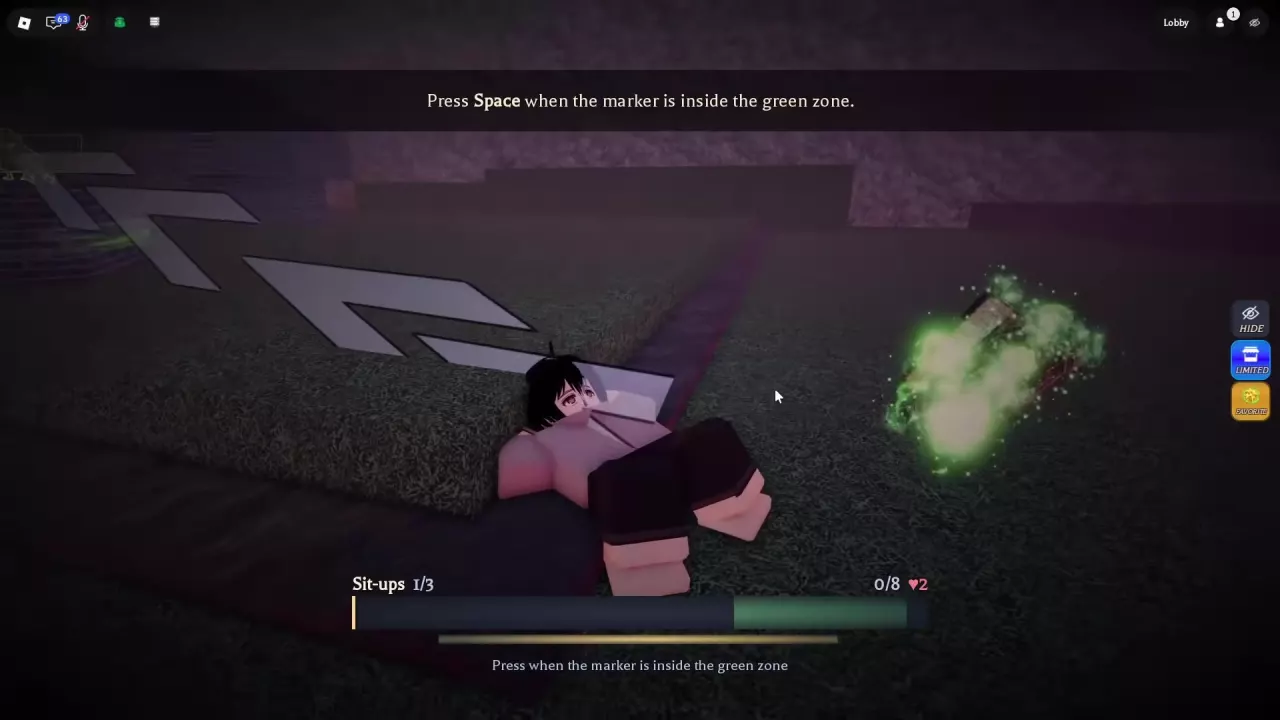
Nori sit-up training with a timing marker and green target zone

Complete Broom Balance Training

  1. Find the training NPC outside the village and enter the broom balance lesson.
  2. Hold A or D as needed to lean against the broom’s tilt and keep your balance until the lesson ends.
  3. Finish the lesson to receive one Medium Magic Broom.

A beginner route recommends reaching Level 11 before moving on to this lesson; another participation example takes place at Level 12. These are progression guidance, not a stated minimum level.
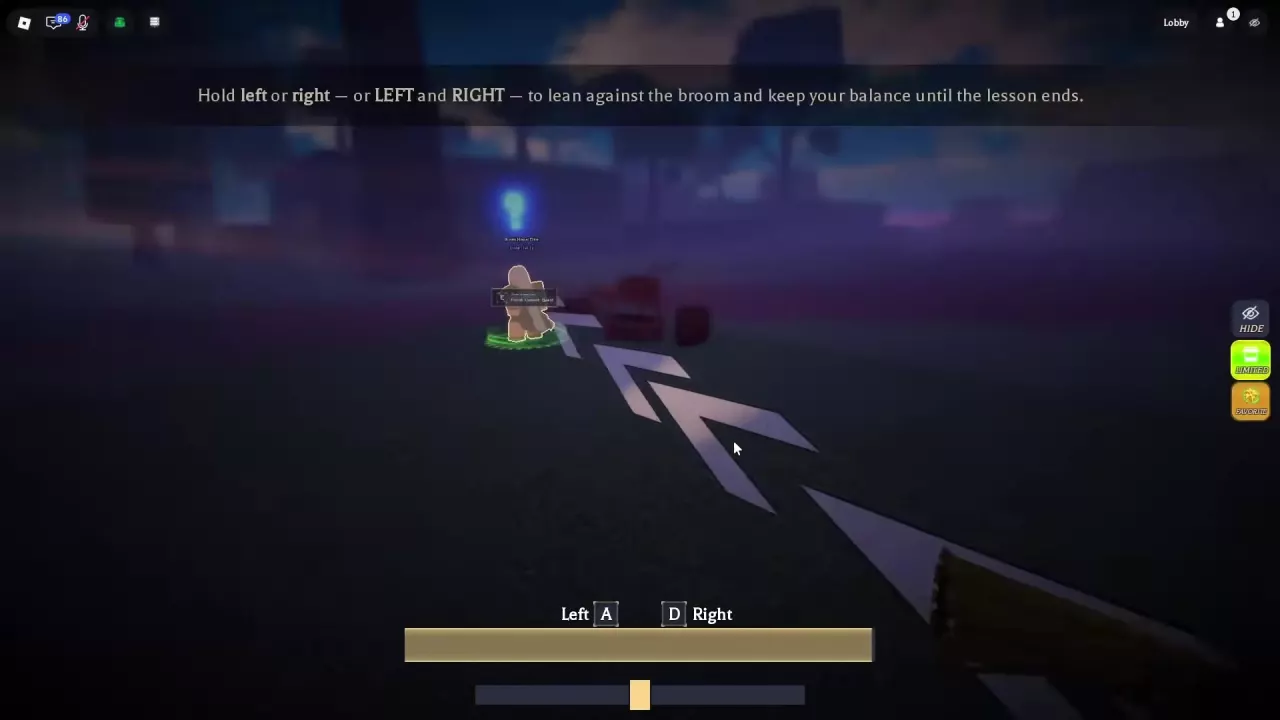
Broom balance lesson showing the A and D controls and balance indicator

Summon Your Broom and Plan an Upgrade

With a broom available to use, press H on your keyboard to summon it for flying travel. Press H again to dismiss it.

Use the Medium Magic Broom for travel until you can obtain the recommended broom in Witchwood Forest. For help finding destinations and using fast travel, see locations and NPC services.